
Master the Art of Creating on WordPress
Learn WordPress & WooCommerce - Without the Overwhelm
If you’ve been trying to learn WordPress or WooCommerce and keep hitting roadblocks — you’re not alone. So many people start with excitement, only to find themselves stuck, overwhelmed by endless tutorials, or unsure how to apply what they’re learning to their own website. What should feel empowering often turns into frustration—but it doesn’t have to be that way.
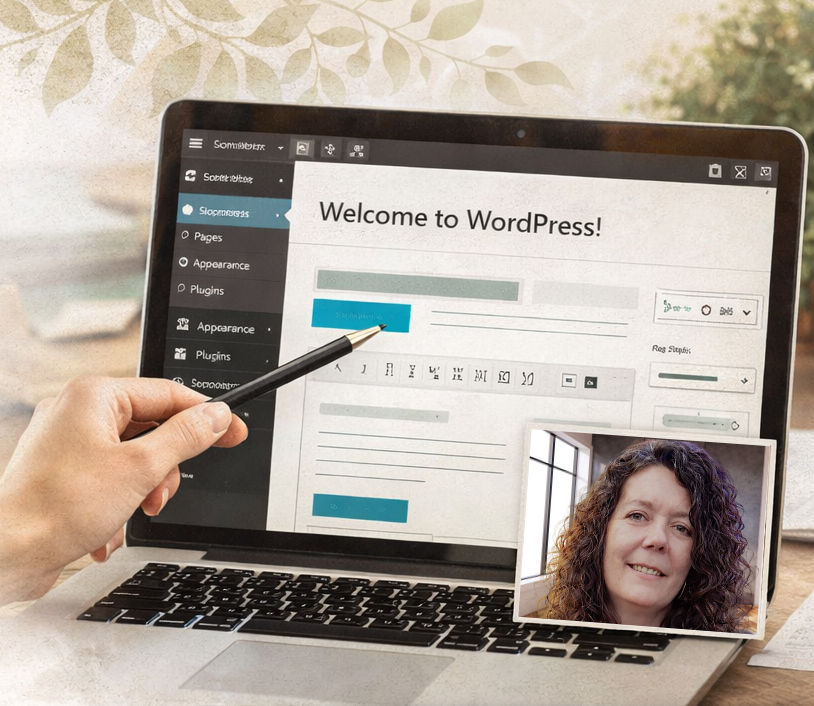
Empowering Your Website Journey
Most people learning WordPress start with videos, tutorials, and guides—but quickly realize something’s missing:
👉 Real-time help
👉 Clear answers to your specific questions
👉 Guidance that actually applies to your website
That’s where personalized learning changes everything.
A Simpler Way to Learn WordPress
Instead of guessing your way through tutorials, I teach you step-by-step, on your own website, using screen sharing so you can learn by doing.
No fluff. No confusion. Just practical skills you can use immediately.
What You Can Learn
✔ How to build and design pages in WordPress
✔ How to use themes, plugins, and settings confidently
✔ How to set up and manage WooCommerce products
✔ How to customize your shop and checkout experience
✔ How to fix common issues without panic
✔ How to easily add content and do it quickly
And most importantly…
✔ How to feel confident managing your own website
Learn WooCommerce the Right Way
WooCommerce can feel overwhelming at first—but it doesn’t have to be.
I’ll walk you through:
- Product setup (simple + variable products)
- Shipping, payments, and taxes
- Store customization
- Order management
- Best practices for selling online
You won’t just “set it up”… you’ll actually understand how it works.
Create Content Faster (and Smarter)
One of the biggest struggles I see is people getting stuck on content.
I’ll show you how to:
✔ Write website content quickly and clearly
✔ Structure pages for readability and conversions
✔ Use simple frameworks to avoid overthinking
✔ Turn one idea into multiple pieces of content
Learn How to Use Entity SEO
If you’ve heard of SEO but aren’t sure what actually works anymore—this is where things shift.
I teach a modern, simplified approach using entity SEO, which helps search engines better understand your content and connect it to what people are searching for.
You’ll learn how to:
✔ Structure content around topics (not just keywords)
✔ Build relevance and authority naturally
✔ Create content that works together across your site
✔ Improve visibility without complicated or unnecessary strategies
Perfect For You If…
This is a great fit if you are:
✨ A small business owner building your own website
✨ A creative or healer wanting more control over your online presence
✨ Tired of piecing things together from YouTube
✨ Ready to actually understand what you’re doing
Learn at Your Own Pace
We can work together in a way that fits your life:
- One-time sessions for specific help
- Weekly coaching for steady progress
- Ongoing support as your site grows
You’re never locked into a system—you’re learning skills you’ll use long-term.
You Don’t Have to Figure This Out Alone
There’s a big difference between watching someone else build a website…
…and having someone guide you as you build yours.
If you’re ready to feel confident with WordPress and WooCommerce, I’m here to help.
👉 Reach out to get started or ask questions
👉 Let’s build something that actually works for you
Let's have a conversation to get started
Master WordPress & WooCommerce

WordPress Essentials
Learn the basics of setting up a WordPress site and how to layout and design your pages with custom settings that apply across your website.

WooCommerce for Beginners
Get started with WooCommerce to create your online shop. Learn tips to make adding products easily.

Advanced WordPress Techniques
Enhance your skills with advanced WordPress customization techniques. Menus, footers, themes and more!

SEO for WordPress
Optimize your WordPress site for search engines effectively. Learn what is needed to get your site seen in search results and how to use AI to help you optimizee.

WordPress Plugin Extensions
Learn to extend WordPress and WooCommerce functionalities with plugins. Learn what to look for in plugins and how to install and set them up.

Website Speed and Optimization
Learn how to make your website load fast and the tips you need to add images, video and more without slowing your pages.
What My Clients Say
★★★★★
“Thanks to Tammy, setting up my online stores was a breeze. The guidance and help on WordPress and WooCommerce was invaluable! Screen sharing and hands on learning made the difference in my understanding how to add products to my shop!”
★★★★★
“Working with Tammy made setting up my online store feel easy. Her step-by-step help with learning WordPress was truly invaluable. Being able to screen share and learn from home gave me the confidence to understand everything as we went—at my pace.”
★★★★★
“Trying to figure out how to add a menu and design my pages was overwhelming me. She showed me step by step how to easily add sections and text on the page. It certainly saved me so much time trying to figure this out by myself.”
